 DriveQuest
How to Avoid Traffic on a Long Road Trip
A long road trip can be exciting until a two-hour drive turns into four hours because of traffic. Congested highways, rush-hour commuters, construction zones, accidents, and busy city entrances can quickly add stress, fuel costs, and extra driving time.
Knowing how to avoid traffic on a long road trip can make your journey more comfortable and predictable. With better departure times, route planning, traffic apps, flexible stops, and a little preparation, you can often reduce the amount of time you spend sitting in slow-moving traffic.
This guide explains practical ways to plan around congestion, choose better travel times, use navigation tools effectively, and build a road trip schedule that gives you some flexibility.
Why Traffic Matters on a Long Road Trip
Traffic is more than an inconvenience when you’re driving hundreds or thousands of miles.
Heavy congestion can affect:
- Your total travel time
- Fuel consumption
- Arrival times
- Hotel check-in plans
- Meal and rest stops
- Driver fatigue
- Tolls and route costs
- Your overall enjoyment of the trip
For example, suppose your planned driving distance is 600 miles and your vehicle normally averages 60 mph on the highway.
At a steady 60 mph:
600 ÷ 60 = 10 hours
That does not mean the trip will actually take 10 hours. Construction, city traffic, fuel stops, meals, rest breaks, weather, and unexpected delays can add several hours.
This is why a realistic road trip schedule should include some flexibility rather than assuming your navigation app’s fastest estimate will be your exact arrival time.
1. Avoid Rush Hour Whenever Possible
One of the simplest ways to avoid traffic on a long road trip is to avoid major metropolitan areas during their busiest commuting periods.
Traffic patterns vary by city, but weekday mornings and afternoons are commonly busier around employment centers and major highways.
If your route passes through a large city, check its typical congestion periods before choosing your departure time.
For example, instead of planning to reach a major metropolitan area at 8:00 AM, you might adjust your departure so you pass through earlier or later.
Think About the Entire Route
Don’t only consider traffic where you are starting.
A departure at 6:00 AM might seem early, but if it puts you directly into another city’s afternoon rush several hundred miles later, you haven’t necessarily solved the problem.
Before leaving, look at:
- Your starting location
- Major cities along the route
- Approximate arrival time at each city
- Known traffic-heavy sections
- Construction zones
- Your planned stops
The goal is to plan the timing of the entire drive, not just the first few hours.
2. Leave Early When It Makes Sense
An early departure can be useful for long road trips because it may allow you to cover busy sections before traffic becomes heavier.
However, early does not automatically mean better.
If leaving at 4:00 AM means you’re extremely tired, the potential traffic benefit may not be worth it. Driver alertness should always take priority over saving a little time.
A better approach is to get adequate sleep and choose a departure time that balances:
- Traffic conditions
- Driver alertness
- Weather
- Your planned stops
- Your destination’s check-in time
For a two-driver trip, you may also be able to share driving responsibilities, but both drivers should be properly rested before taking the wheel.
3. Use Live Traffic Information Before You Leave
Checking traffic only after you are already stuck is too late.
Before starting each major driving segment, check a reliable navigation app for:
- Current traffic
- Accident-related delays
- Construction
- Road closures
- Estimated travel time
- Alternative routes
- Delays near major cities
Live traffic information can help you decide whether to stay on your planned route or make a reasonable adjustment.
Don’t automatically choose every suggested shortcut, though.
A navigation app may recommend a small local road to save a few minutes, but that route could have lower speed limits, narrow roads, school zones, frequent intersections, or limited services.
4. Check Traffic Again During Fuel and Rest Stops
Your original route plan can become outdated during a long drive.
Traffic conditions can change significantly while you’re traveling.
A useful habit is to check your route whenever you stop for:
- Fuel
- Food
- Restroom breaks
- Coffee
- A longer rest period
For example, if you stop for 20 minutes and discover that an accident has created a major delay ahead, you may have time to consider another route before reaching the affected area.
This is usually better than making a sudden decision while driving.
5. Plan Around Major Cities
Large cities can be some of the most difficult parts of a long road trip because traffic may increase dramatically near:
- Downtown areas
- Highway interchanges
- Bridges
- Tunnels
- Airport areas
- Major suburbs
- Sports and entertainment venues
If your trip crosses several large cities, identify them before departure.
Create a simple route table like this:
| Route Area | Potential Problem | Planning Idea |
|---|---|---|
| Large city | Rush-hour traffic | Pass outside peak periods |
| Highway interchange | Merging congestion | Allow extra time |
| Construction zone | Lane reductions | Check live conditions |
| Bridge/tunnel | Limited alternatives | Check before departure |
| Tourist area | Weekend congestion | Consider earlier travel |
You don’t need to avoid every city. You simply want to avoid arriving at the busiest locations at the worst possible time.
6. Don’t Assume the Fastest Route Is Always the Best Route
Navigation apps usually focus on travel time, but road trip planning involves more than the shortest ETA.
A slightly longer highway route may be easier and more predictable than a shorter route through several busy towns.
For example:
Route A: 300 miles, estimated 5 hours
Route B: 320 miles, estimated 5 hours 10 minutes
At first glance, Route A appears better.
But if Route A passes through multiple congested urban areas while Route B stays mostly on a highway, Route B may provide a more predictable driving experience.
Before choosing a route, consider:
- Traffic patterns
- Number of major cities
- Road quality
- Construction
- Weather
- Fuel availability
- Rest areas
- Road closures
- Terrain
- Your comfort level
A predictable route can sometimes be more useful than a route with the lowest theoretical travel time.
7. Avoid Unnecessary Detours
Trying to escape traffic can sometimes make the situation worse.
A common mistake is repeatedly changing routes because an app shows a few minutes of delay.
Imagine your original route has a 20-minute traffic delay. You switch to a side road, but thousands of other drivers have made the same decision.
The alternative road can quickly become congested too.
Before taking a detour, consider:
- How many minutes will it actually save?
- Is the alternate road suitable for your vehicle?
- Does it have enough fuel and rest options?
- Is the traffic delay increasing or decreasing?
- Is the alternative route reliable?
If the difference is only a few minutes, staying on a major highway may be the simpler choice.
8. Use Strategic Stops Instead of Random Stops
Your stops can affect when you reach traffic-heavy areas.
Suppose you’re approaching a large city around lunchtime. Instead of immediately stopping inside the city, you might stop before reaching the congested area, have lunch, refuel, and check traffic conditions.
Then you can decide whether to continue.
This can turn a forced traffic delay into a planned break.
Combine Multiple Tasks
Try to combine several tasks into one stop:
- Refuel
- Use the restroom
- Eat
- Stretch
- Check traffic
- Review the next section of your route
Fewer unnecessary stops can make your schedule easier to manage.
At the same time, don’t skip needed rest breaks simply to maintain an unrealistic schedule.
9. Use Traffic Apps as Planning Tools, Not Just Navigation
Navigation apps are most useful when you actively use the information they provide.
Before departure, check:
- The complete route
- Major traffic areas
- Alternative routes
- Estimated driving time
- Road closures
- Construction
- Fuel stops
During the trip, check again at safe stopping points.
Avoid interacting with your phone while driving. Set your route before moving and make changes only when safely parked or use appropriate hands-free features.
10. Travel on Less Congested Days When Your Schedule Allows
If your trip dates are flexible, your choice of travel day can make a noticeable difference.
Traffic patterns depend heavily on location, season, holidays, events, weather, and local commuting patterns.
Before committing to a travel day, check the expected conditions along your route.
A flexible schedule can give you more options.
For example, instead of treating Friday afternoon as your only possible departure, you might consider:
- Leaving earlier Friday
- Leaving later Friday
- Starting Saturday morning
- Driving part of the route the previous evening
- Spending an extra night before a congested area
The best option depends on your specific route and circumstances.
11. Watch for Holidays and Major Events
Regular traffic patterns can change dramatically around holidays and major events.
Busy periods may occur around:
- Holiday weekends
- Concerts
- Sporting events
- Festivals
- Large conventions
- Tourist seasons
- School breaks
A highway that is normally easy to drive may become much busier when thousands of people are traveling to the same destination.
Before a long road trip, check whether major events are taking place along your route.
This is especially important when your route passes through a city with limited highway alternatives.
12. Build Buffer Time Into Your Schedule
Trying to arrive at a destination at an exact time can make a road trip unnecessarily stressful.
Instead, create a reasonable arrival window.
For example, if your navigation app estimates arrival at 5:00 PM, don’t automatically schedule an important reservation for 5:15 PM.
Traffic can change.
A better plan might give you additional time for:
- Congestion
- Fuel stops
- Food
- Rest breaks
- Construction
- Weather
- Navigation changes
This is particularly important if you have a hotel check-in, tour, ferry, flight, or other time-sensitive reservation.
13. Understand That Weather Can Change Traffic Quickly
Weather can affect traffic even when there is no major accident or road closure.
Heavy rain, snow, ice, fog, strong winds, and poor visibility can reduce driving speeds and increase congestion.
Before starting a long driving segment, check the weather along your route rather than only at your current location.
If poor weather is expected, consider:
- Leaving earlier or later
- Reducing your planned driving distance
- Adding extra time
- Taking longer breaks
- Staying overnight rather than continuing while conditions are poor
Never speed or drive aggressively just to make up time lost to weather or traffic.
14. Consider a Route With More Rest Areas
When choosing between similar routes, consider the availability of safe places to stop.
A route with regular fuel stations, rest areas, and food options can be easier to manage than an isolated route where services are widely spaced.
This doesn’t necessarily mean the route will have less traffic, but it can make unexpected delays easier to handle.
If you get stuck in traffic for an extended period, knowing where the next fuel or rest opportunity is can help you plan better.
15. Keep Your Fuel Level Comfortable
Traffic can increase fuel consumption because of repeated slowing, stopping, and acceleration.
You don’t need to keep the tank completely full throughout the entire trip, but avoid allowing your fuel level to become unnecessarily low before entering an unfamiliar or congested area.
A practical approach is to refuel when you’re already making a planned stop and the fuel level makes it sensible.
This also gives you an opportunity to check the route and traffic before continuing.
16. Leave Room for Traffic When Planning Fuel Costs
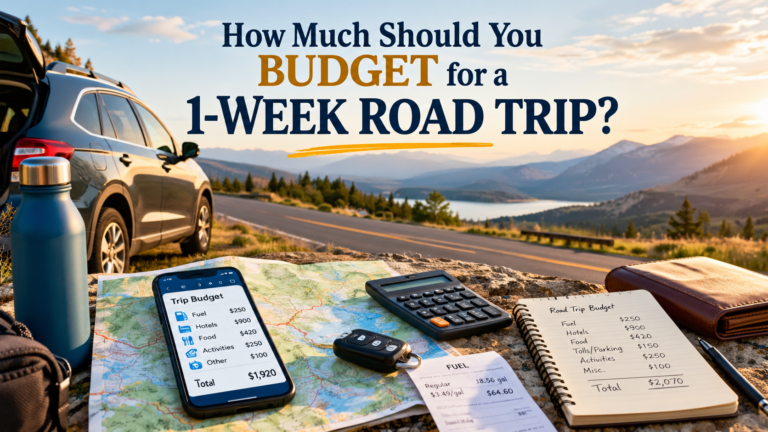
Traffic can also affect your road trip budget.
Suppose your vehicle normally gets 30 MPG and your planned route is 900 miles.
Basic fuel calculation
Fuel required = Distance ÷ MPG
900 ÷ 30 = 30 gallons
If fuel costs $3.50 per gallon:
30 × $3.50 = $105
So your basic estimated fuel cost is $105.
However, this is only an estimate. Real-world fuel consumption can change because of traffic, speed, vehicle load, weather, terrain, tire pressure, and driving habits.
If traffic causes more idling and stop-and-go driving, your actual fuel use may be different.
That’s another reason not to build a road trip budget around an unrealistically precise fuel number.
17. Don’t Pack Too Much Into One Driving Day
One of the easiest ways to create road trip stress is to plan an extremely long driving day with almost no flexibility.
For example, a route might technically be possible in 10 hours, but that doesn’t mean you should schedule 10 hours of continuous driving.
You may need time for:
- Fuel
- Food
- Restrooms
- Stretching
- Traffic
- Weather
- Unexpected delays
If you’re driving with children, older travelers, pets, or multiple passengers, you may need even more flexibility.
A realistic road trip schedule should account for the people in the vehicle, not just the distance on the map.
18. Keep a Backup Plan
You don’t need to create a complicated emergency itinerary.
Just have a basic backup plan.
Before leaving, identify:
- One reasonable alternate route
- Several fuel options
- Possible overnight locations
- Major cities you may want to avoid during peak traffic
- A way to check road conditions
- Your accommodation cancellation or change policy when relevant
If traffic becomes severe, you can make a calm decision rather than trying to solve everything at the last minute.
A Simple Long Road Trip Traffic-Planning Example
Imagine you’re planning a 750-mile road trip.
Your navigation app estimates 12 hours of driving.
Instead of planning to arrive exactly 12 hours after departure, create a schedule that accounts for normal stops and possible delays.
| Planning Item | Example |
|---|---|
| Driving distance | 750 miles |
| Estimated driving time | 12 hours |
| Fuel stops | 2–3 |
| Meal/rest breaks | Several |
| Traffic buffer | 1–2+ hours |
| Planned trip time | More than 12 hours |
| Emergency flexibility | Extra time if possible |
These numbers are only an example. Your actual travel time depends on your route, traffic, weather, vehicle, stops, and driving conditions.
The important point is that a navigation ETA should be treated as an estimate, not a guaranteed arrival time.
Common Mistakes When Trying to Avoid Traffic
Leaving Extremely Early Without Enough Sleep
Saving an hour of traffic is not useful if you’re too tired to drive safely.
Changing Routes Too Often
Constantly chasing small ETA improvements can lead to unfamiliar roads and additional stress.
Ignoring Traffic at Your Destination
You may avoid traffic during the first half of your journey and then arrive in a major city during its busiest period.
Planning No Buffer Time
Unexpected delays are part of long-distance travel. Give yourself some breathing room.
Relying on One Route
If a major road closes or a serious accident occurs, having no backup can make the situation harder to manage.
Skipping Breaks to Save Time
Fatigue is a much more important concern than arriving a little earlier.
Using Your Phone While Driving
Don’t manually check maps or change routes while the vehicle is moving. Pull over somewhere safe or use appropriate hands-free navigation.
A Simple Traffic-Avoidance Plan for Your Next Road Trip
Before leaving, follow this checklist:
- Map your complete route.
- Identify major cities and traffic-heavy areas.
- Check typical traffic patterns for your travel day.
- Check current road conditions before departure.
- Choose a realistic departure time.
- Plan fuel and rest stops.
- Leave extra time for congestion.
- Check traffic again during safe stops.
- Keep one or two reasonable alternatives in mind.
- Adjust the plan when conditions change.
You don’t need to predict every traffic problem.
The goal is to make enough preparation that an unexpected delay doesn’t completely disrupt your day.
Frequently Asked Questions
Final Thoughts
Learning how to avoid traffic on a long road trip is mostly about preparation and flexibility.
You can’t control every accident, construction project, weather event, or traffic jam. What you can control is when you leave, which major traffic areas you identify ahead of time, how you schedule your stops, and how much flexibility you give yourself.
Before your next trip, look at the complete route instead of focusing only on total miles. Identify the busiest cities, check traffic conditions before major driving segments, plan sensible stops, keep your fuel level comfortable, and give yourself enough time that a delay doesn’t turn the entire trip into a stressful race.
A good road trip plan isn’t the one with the shortest possible ETA. It’s the one that gives you a realistic path to your destination while leaving enough room for real-world conditions.