 DriveQuest
Best Road Trip Apps for Planning Your Route, Fuel & Stops
Planning a road trip is much easier when you have the right apps doing some of the work for you. Instead of switching between maps, fuel-price websites, hotel searches, and notes, you can use a small set of apps to plan your route, estimate fuel costs, find useful stops, and adjust your plans while you’re driving.
The trick is not finding one app that does absolutely everything. Different apps are useful for different parts of a road trip.
In this guide, we’ll look at the best road trip apps for planning your route, fuel and stops, what each one is good for, when you actually need it, and how to combine them into a simple road-trip planning system.
Best Road Trip Apps at a Glance
| App | Best For | Useful Features | Best For Beginners? |
|---|---|---|---|
| Google Maps | Everyday route planning | Navigation, stops, gas stations, hotels, restaurants, offline maps | Yes |
| Waze | Live traffic and road alerts | Traffic updates, rerouting, incidents, fuel stops | Yes |
| Roadtrippers | Building a complete road-trip itinerary | Route planning, attractions, restaurants, hotels, fuel stops | Yes |
| GasBuddy | Fuel planning and trip fuel costs | Fuel-price information, trip cost calculator, fuel searches | Yes |
| PlugShare | EV road trips | Charging-station discovery and EV trip planning | Yes for EV drivers |
| iExit | Interstate exit planning | Finding services and stops around highway exits | Yes |
You don’t need all six.
For many travelers, Google Maps + a fuel-planning app + one dedicated trip-planning app is enough.
1. Google Maps: Best All-Around Road Trip App
Google Maps is probably the most useful starting point for a typical road trip.
You can enter your destination, compare routes, search for gas stations, restaurants, hotels and other places, and use navigation while driving. Google Maps also lets you search for places along your route during navigation.
For example, imagine you’re driving 700 miles and don’t want to stop randomly every time you get hungry.
You can plan your major stops ahead of time:
- Starting location
- Fuel stop
- Lunch stop
- Scenic or rest stop
- Second fuel stop
- Hotel or final destination
Google Maps can also be useful for checking current business information, including hours and reviews.
Don’t forget offline maps
Cellular coverage can become unreliable on long rural stretches.
Google Maps allows you to download map areas for offline use. If the entire route is covered by the downloaded map, you can continue navigating even when your connection is unavailable.
Practical tip: Download the important parts of your route before leaving home instead of assuming you’ll have a strong signal everywhere.
2. Waze: Best for Live Traffic and Road Alerts
Waze is particularly useful when traffic conditions can significantly change your drive.
Waze uses real-time information from drivers and provides traffic alerts, incident information and route adjustments. It can also help you find a pit stop when you need fuel.
This makes Waze especially useful for:
- Busy highways
- Large cities
- Rush-hour travel
- Accident-related delays
- Unexpected traffic
- Last-minute route changes
When should you use Waze instead of Google Maps?
You don’t necessarily have to choose one.
A practical approach is to use Google Maps for overall trip planning and Waze when you’re actively driving through areas where traffic conditions matter.
Remember that traffic-based routing can change your estimated arrival time. Don’t plan your hotel check-in or fuel stop so tightly that a 20-minute delay ruins the schedule.
3. Roadtrippers: Best for Planning Stops and Itineraries
Roadtrippers is designed specifically around road trips rather than everyday navigation.
You can enter your starting point and destination, add cities and attractions, explore categories such as restaurants, hotels, camping, fuel and rest stops, and customize the order of your stops.
This is especially useful when the journey itself is part of the vacation.
Instead of thinking:
“How quickly can I get there?”
you can think:
“What worthwhile stops can I make along the way?”
Roadtrippers is useful for:
- Multi-day road trips
- Scenic routes
- Family vacations
- National park trips
- Attraction-heavy itineraries
- Finding overnight stops
- Planning detours
- Organizing multiple destinations
Roadtrippers also has a feature that can help you measure how far or how long you want to drive before your next stop.
That’s useful if you don’t want to drive six or seven hours without a meaningful break.
A useful example
Suppose you’re traveling 1,200 miles over three days.
Rather than choosing hotels first and trying to make the route fit around them, you can divide the trip into realistic driving sections:
- Day 1: About 400 miles
- Day 2: About 400 miles
- Day 3: About 400 miles
Then look for food, fuel, attractions and accommodation around those sections.
The exact distance you should drive depends on your vehicle, road conditions, weather, passengers and how comfortable you are driving for long periods.
4. GasBuddy: Best for Fuel Planning
GasBuddy is worth considering if fuel represents a large part of your road-trip budget.
GasBuddy provides travel tools including a trip cost calculator. Its calculator allows you to enter your starting point, destination, one-way or round-trip travel, vehicle information, fuel type and mileage information.
This is helpful because estimating fuel cost is much better than simply guessing a dollar amount.
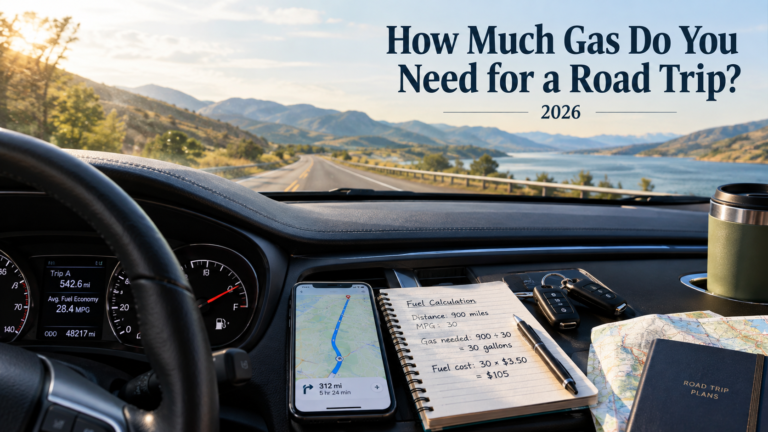
How to calculate road-trip fuel cost
The basic calculation is:
Fuel required = Total distance ÷ Vehicle fuel economy
Then:
Fuel cost = Fuel required × Fuel price
For example, suppose:
- Trip distance = 900 miles
- Vehicle efficiency = 30 MPG
- Fuel price = $3.50 per gallon
Fuel required:
900 ÷ 30 = 30 gallons
Estimated fuel cost:
30 × $3.50 = $105
So your estimated fuel expense would be $105.
That’s only an example. Fuel prices, traffic, driving style, vehicle load and actual mileage can change the final amount.
Don’t forget the return trip
One of the easiest budgeting mistakes is calculating only the distance from home to the destination.
If you’re driving 450 miles each way:
450 × 2 = 900 total miles
Your fuel calculation should use the full 900 miles unless you’re taking a different route home.
5. PlugShare: Useful for EV Road Trips
For electric-vehicle drivers, fuel stops become charging stops.
PlugShare is designed around finding charging locations and planning EV travel.
The planning process is different from a gasoline-powered vehicle because you need to consider:
- Charging locations
- Charger availability
- Charging time
- Vehicle range
- Weather
- Driving speed
- Elevation changes
- Backup charging options
For an EV road trip, don’t plan your route based only on the maximum advertised vehicle range.
If your vehicle is rated for a certain range under ideal conditions, real-world highway driving can produce a different result.
A better EV planning habit
Try to avoid arriving at a charger with almost no battery remaining.
Leave yourself a reasonable buffer, especially when traveling through remote areas where the next charging option may be far away.
6. iExit: Helpful for Interstate Road Trips
iExit can be useful when you’re spending long periods on U.S. interstate highways and want to know what services are available at upcoming exits.
This type of app can be particularly useful when you’re looking for:
- Fuel
- Food
- Hotels
- Rest stops
- Other roadside services
It can reduce the need to take an exit and then discover that the services you wanted aren’t actually nearby.
For long interstate drives, knowing what’s coming up can also help you coordinate fuel and meal stops instead of making unnecessary detours.
How to Use Road Trip Apps Together
The biggest mistake isn’t choosing the “wrong” app.
It’s trying to make one app handle every part of the trip.
A simpler system is to give each app a specific job.
Step 1: Build your overall route
Start with Google Maps or Roadtrippers.
Enter:
- Starting point
- Final destination
- Important cities
- Must-see attractions
- Overnight locations
Don’t add 25 unnecessary stops just because the app makes them easy to add.
Step 2: Estimate your fuel requirements
Calculate your approximate total mileage.
Then use your vehicle’s realistic fuel economy.
For example:
1,200 miles ÷ 30 MPG = 40 gallons
If your assumed fuel price is $3.50:
40 × $3.50 = $140
Again, treat this as an estimate rather than a guaranteed cost.
Step 3: Add fuel stops
Look at your vehicle’s approximate range.
If you normally get around 400 miles per tank, you don’t necessarily want to plan a fuel stop exactly at 400 miles.
A safer approach is to identify fuel options earlier, especially on unfamiliar or remote routes.
Step 4: Add food and rest stops
Don’t plan a 10-hour driving day with only one five-minute fuel stop.
Build realistic breaks into your schedule.
For example:
| Trip Segment | Example Plan |
|---|---|
| Start | Full tank + breakfast |
| 2–3 hours | Short rest stop |
| 4–5 hours | Fuel + lunch |
| 6–7 hours | Short break |
| Evening | Hotel + dinner |
Your actual schedule should depend on your passengers, road conditions and how tired you feel.
Step 5: Save offline information
Before leaving, download important map areas where possible.
Also save:
- Hotel addresses
- Important phone numbers
- Reservation details
- Charging locations
- Fuel stops
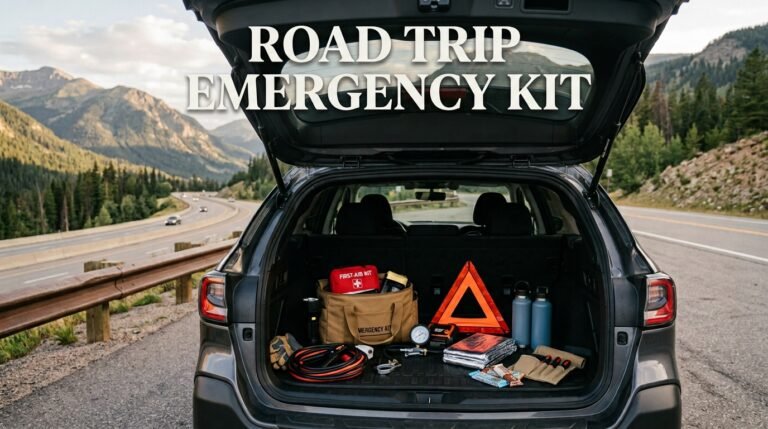
- Emergency information
Don’t assume your mobile data connection will always work.
How to Use Apps to Control Your Road Trip Budget
Road trip apps aren’t just navigation tools.
Used properly, they can help prevent unnecessary spending.
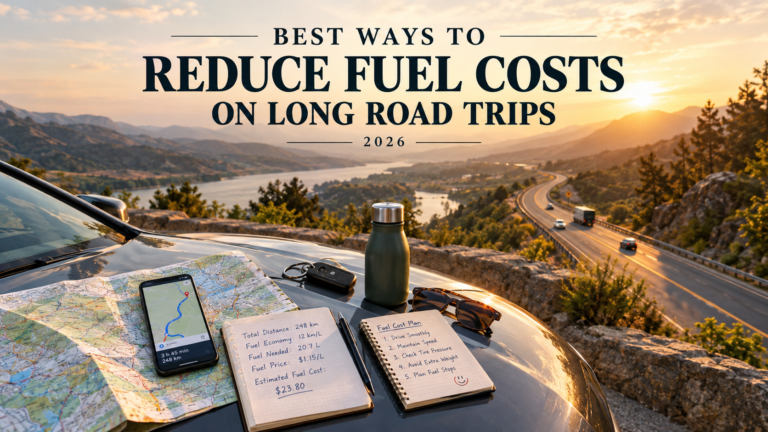
Compare fuel stops
Suppose two fuel stations are available:
- Station A: $3.40/gallon
- Station B: $3.65/gallon
If you need 15 gallons:
Station A: 15 × $3.40 = $51.00
Station B: 15 × $3.65 = $54.75
Difference:
$3.75
That’s useful information, but don’t drive 20 miles out of your way just to save a few cents per gallon.
The extra mileage may cost more than the fuel savings.
Combine stops
A good road-trip stop might include:
- Fuel
- Bathroom break
- Food
- Groceries
- Coffee
Instead of making four separate detours, combine them into one stop.
This can save both time and fuel.
Avoid unnecessary detours
A scenic detour can be worth it if it’s something you genuinely want to see.
But if you’re adding random attractions just because an app recommends them, your 800-mile trip can quickly become a 950-mile trip.
Those extra 150 miles affect:
- Fuel
- Driving time
- Food stops
- Vehicle wear
- Potential accommodation costs
Sample Road Trip App Planning Budget
Let’s use a simple hypothetical trip of 1,000 miles.
Assumptions:
- Vehicle efficiency: 28 MPG
- Fuel price assumption: $3.50/gallon
- 2 travelers
- 2 nights
- Moderate spending
Fuel calculation
1,000 ÷ 28 = 35.7 gallons
Estimated fuel cost:
35.7 × $3.50 ≈ $124.95
A simple sample budget might look like this:
| Expense | Example Estimate |
|---|---|
| Fuel | $125 |
| Accommodation | $240 |
| Food | $180 |
| Tolls | $40 |
| Parking | $30 |
| Activities | $100 |
| Miscellaneous | $50 |
| Emergency buffer | $100 |
| Estimated Total | $865 |
These are illustrative numbers, not current universal prices.
Your actual cost could be significantly different depending on your destination, hotel choices, fuel prices, number of travelers, travel dates and activities.
How Much Emergency Money Should You Keep?
There’s no single amount that works for every road trip.
Instead of treating the emergency fund as part of your normal spending budget, keep it separate.
Potential unexpected costs include:
- Tire problems
- Minor vehicle repairs
- Unexpected hotel nights
- Weather-related delays
- Medical or pharmacy expenses
- Extra fuel
- Roadside assistance
- Last-minute transportation
A longer or more remote trip generally deserves a larger financial cushion than a short weekend drive near home.
Common Mistakes When Using Road Trip Apps
1. Trusting the first route automatically
The fastest route isn’t always the route you want.
A slightly longer route might offer better scenery, easier fuel access or a more comfortable driving schedule.
2. Planning too many stops
It’s tempting to fill your itinerary with attractions.
But every stop takes time.
Leave enough flexibility for unexpected traffic, meals, rest breaks and simply enjoying the drive.
3. Ignoring offline navigation
A route that works perfectly in a city may become much less reliable when you’re traveling through rural areas.
Download maps before you need them.
4. Treating fuel prices as fixed
Fuel prices can vary by location and change over time.
Use current local information where available, but keep some flexibility in your budget.
Google Maps can show gas-station information in supported areas, while GasBuddy provides dedicated fuel and trip-cost tools.
5. Forgetting the return journey
Always confirm whether your mileage estimate covers:
- One way
- Round trip
- Extra local driving
- Detours
A 500-mile destination isn’t necessarily a 500-mile road trip.
6. Planning around app estimates too tightly
Navigation apps estimate travel time, but traffic, weather, construction and breaks can change the actual journey.
Give yourself some breathing room.
A Simple Road Trip App Setup for Beginners
If you’re planning your first road trip, don’t overwhelm yourself with ten different apps.
A simple setup could be:
For route planning
Google Maps
Use it for your main route, navigation, fuel stations, restaurants and other places.
For live traffic
Waze
Use it when you’re dealing with traffic-heavy areas or want additional real-time road information.
For complete trip planning
Roadtrippers
Use it when you want to build a multi-stop itinerary and discover attractions along the way.
For fuel budgeting
GasBuddy
Use it to estimate trip fuel costs and compare fuel options where its data is available.
For EV trips
PlugShare
Use it as an additional tool for finding and planning charging stops.
You don’t need to use every app on every trip.
Best Road Trip Apps Based on Your Needs
The right choice depends on what you’re actually trying to solve.
| If You Need… | Consider Using |
|---|---|
| Simple navigation | Google Maps |
| Offline maps | Google Maps |
| Live traffic information | Waze |
| Multi-stop itinerary | Roadtrippers |
| Attraction discovery | Roadtrippers |
| Fuel-cost calculations | GasBuddy |
| Fuel planning | GasBuddy + Google Maps |
| EV charging planning | PlugShare |
| Interstate exit information | iExit |
The goal isn’t to collect apps.
The goal is to make your road trip easier to manage.
Frequently Asked Questions
Final Thoughts
The best road trip apps aren’t necessarily the ones with the longest feature lists.
What matters is whether they solve the problems you’re likely to face on your particular trip.
Start with your route and total mileage. Then estimate fuel, identify sensible fuel and rest stops, plan overnight stays, and leave enough room in your budget for unexpected expenses.
For a straightforward trip, Google Maps may be enough. For a multi-day adventure, combining Google Maps or Waze with Roadtrippers and a fuel-planning tool such as GasBuddy can give you a much more organized plan.
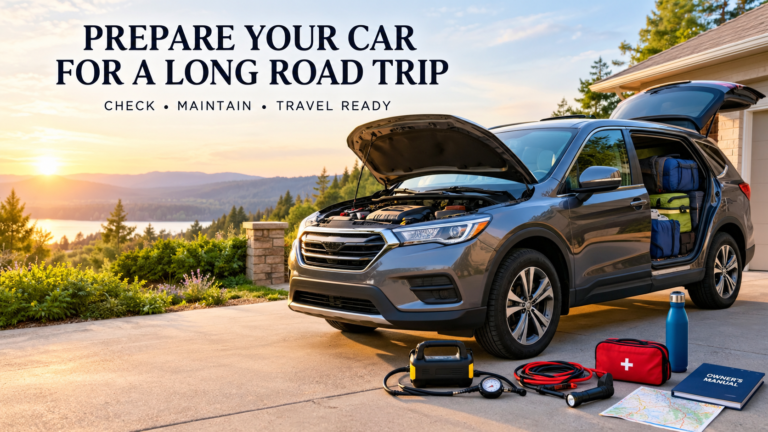
Before you leave, download the maps you may need, save your important destinations, check your vehicle, and make sure your budget includes more than just gasoline.
A little planning before you start driving can make the actual road trip much more relaxed.